
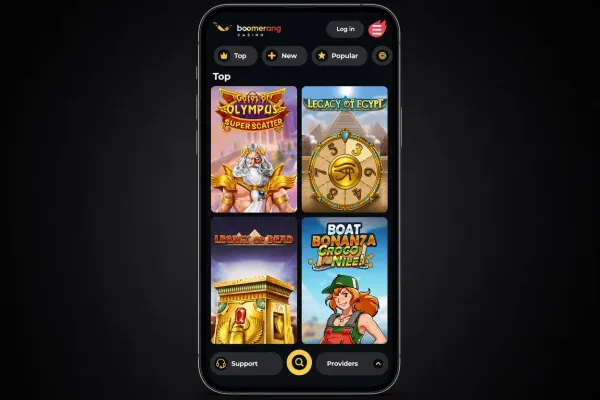
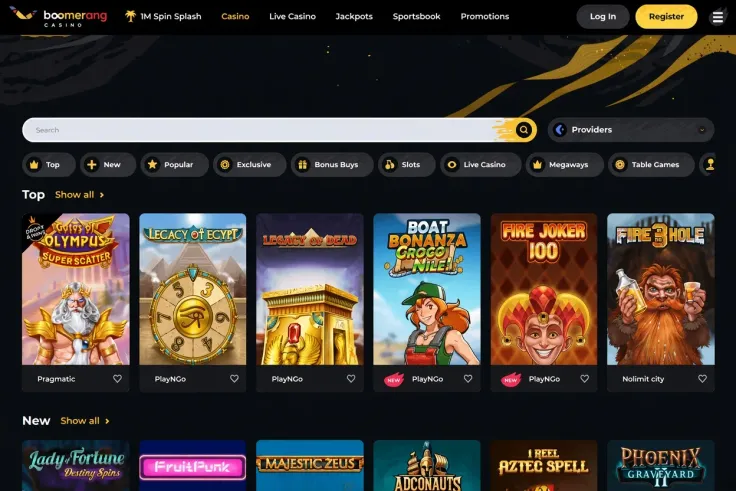
Boomerang Casino has a mobile version that you play in your phone browser, and it has no iPhone app and no Android app. The mobile site is the only way to play on a phone, so there is nothing to download or install. The table and steps above show how to open it, and the sections below cover what to expect and how to keep your phone play secure.
What you can do on your phone

Playing Boomerang Casino on a phone means using the mobile site in your browser. The browser is the same one you use for everything else, so there is no separate program to keep up to date and no storage space taken by a casino app.
Boomerang Casino includes live casino among its games, and the mobile site is where you reach it from a phone. Do not assume that a phone brings exclusive offers, special games or an extended menu. If an offer or a game matters to you, read the page that covers it rather than assuming it works differently on mobile.
The main difference from a desktop computer is the screen. A phone screen is smaller, and you use touch rather than a mouse. That affects how comfortable some things are: reading a long set of terms, filling in registration details and sending documents are all easier when you can see the whole page at once. If you are registering for the first time, you may find it simpler to follow the sign up guide on a larger screen and then switch to your phone once the account is ready. If you already have an account, the login page covers getting back in.
The other difference is your surroundings. A phone goes with you, which makes it easy to open a session in a place where you cannot give it your attention. Decide in advance how long you want to play and stop when that time is up.
Playing in the browser, with no app to install

There is no native app for either iPhone or Android, so there is nothing to find in an app store and nothing to install. If you come across a file, a link or an advertisement that claims to be a Boomerang Casino app, treat it with caution and do not install it. An app from an unknown source can carry malware, and it can put your account details and your payment details at risk.
What you can expect from the browser is straightforward. You open the website, log in or register, and play from the same page. The steps above set out the process, including a shortcut on your home screen for faster access, so this page does not repeat them. A shortcut is a convenience only, and it does not change what the site does.
Some practical points help the browser experience. Keep your phone's browser up to date, because updates fix security problems. Use one browser for your casino play, so you know where your saved details are stored. If you let the browser save your password, make sure your phone is locked with a passcode, since anyone who opens the phone could then open the account.
If a page does not load properly, close it and open it again, or switch from mobile data to a trusted wifi network, or the other way round. Do not enter your details on a page that looks different from the one you used before, and check the address in the browser bar before you type a password.
For the wider question of apps, the app page covers it in general. The iPhone app page and the Android app page cover each platform, and both give the same answer for Boomerang Casino: there is no native app, and the mobile site is the way to play on a phone.
Practical points for playing on a phone

A phone holds more of your life than a computer does, so the basic security habits matter more.
Lock the phone with a passcode or a biometric lock, and keep the lock on. Do not share the device while you are logged in to your account, and log out when you finish rather than leaving the session open. If the phone is lost or stolen, change your password from another device as soon as you can.
Be careful with public wifi. A network in a cafe, an airport or a shopping centre is a poor place to log in or to type payment details. Mobile data is usually the safer choice for those moments, though it uses your data allowance, so check your plan before you play for long. Streaming live games in particular can use a lot of data.
Keep notifications under control. Turn off alerts that pull you back to the browser when you had planned to stop, and do not open links in messages that claim to come from the casino. Go to the website yourself instead.
Use the account's control tools if the account offers them. A deposit limit, a time-out or a self-exclusion option is easier to set at the start than in the middle of a session, and it is a reasonable first step on any device. Set a limit while you are calm, and treat it as fixed.
Finally, keep the amount you spend in proportion to your budget for entertainment. A phone makes it very easy to play for a few minutes at a time, and those minutes add up. If you notice you are playing more than you meant to, take a break.