

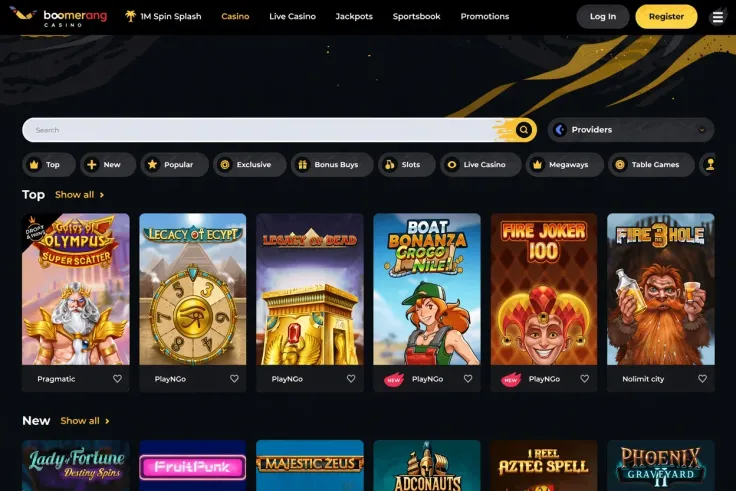
The Boomerang Casino login takes place only on the casino's own website, on a computer or on the mobile site in your phone's browser. Before you start, have the email address or username and the password you chose when you registered. The steps above walk through the sign-in itself, and the table shows where you can log in and when support is available.
If you do not have an account yet, open one first: login only works with details that are already registered. It also helps to keep your identity documents close by, since Boomerang Casino requires identity verification. This page is a guide and has no login form, so never type your password anywhere on it.
What happens when you sign in to Boomerang Casino

When you enter your details, the casino matches them against the account you created. The email or username has to be the exact one you registered with, and passwords are usually case-sensitive, so check caps lock and any automatic capital letter on your phone before you try again. A password saved in your browser may be an old one; typing it in by hand rules that out.
Boomerang Casino has no app for iPhone or Android, so every login goes through the website. On a computer you use any up-to-date browser. On a phone you open the mobile site in your browser instead of looking for something to download, and the guide to the mobile version covers how the site works on a smaller screen. If you have bookmarked the site, check that the bookmark opens the address you expect before you enter your details.
Identity checks behind the account
Boomerang Casino requires identity verification. You must be 18 or older to hold an account, and the checks confirm that the account, the documents and the payment method all belong to the same adult. The documents Boomerang Casino asks for are: ID card, passport or driver's licence, Proof of address, Proof of payment method ownership and Selfie with ID.
Each document answers a different question:
- Identity: an ID card, passport or driver's licence shows your name, date of birth and photo.
- Address: proof of address confirms the home address on your account. Check that the name and address on it match what you entered when you registered.
- Payment method: proof of ownership shows that the card or account you pay with is in your name. Keep your name clearly visible on the image.
- Selfie with ID: a photo of you holding your identity document ties the document to the person who uses the account.
What can take time
How smoothly a document check goes depends largely on the quality of what you send. Blurred photos, cropped edges, glare on a plastic card or an expired document are the usual reasons a file comes back. Clear images with every edge visible and all text readable help the review go through on the first attempt. Names that differ between documents, such as a missing middle name or a former surname, can also slow things down, so use the same name on your account that appears on your ID. The verification guide goes through each document in more detail.
18+ · T&Cs apply
Common Boomerang Casino login problems and what to do

You have forgotten your password. Use the password reset option described in the steps above. Choose a new password that you have not used on any other site, and update it in your password manager straight away so the old one is not filled in again.
Your details are not accepted. Check whether you registered with an email address or a username and try the other one. Look for a typing error, an extra space at the end, or caps lock. If your browser fills in the fields automatically, clear them and type the details yourself.
The page does not load or keeps returning to the login screen. Refresh the page, then try a private window or a different browser. Clearing the browser's cache and cookies for the site often fixes a sign-in that loops. Check that your browser is up to date and that your connection is stable, especially on mobile data.
A document has been rejected. Read the reason if one is given, then send a new image: the whole document, flat, in good light, with no glare or cropped corners. If your address has changed, send a document that shows the current one and matches your account details.
A payment does not go through after you sign in. Make sure the payment method is in your own name, since Boomerang Casino asks for proof of payment method ownership. The deposit guide covers the process, and the withdrawals guide explains cashing out.
When to contact support
If none of this helps, contact Boomerang Casino support. It is available 24/7 through live chat and email; there is no phone line. Live chat suits a quick question while you are trying to sign in, and email suits sending documents or a longer explanation. Give your username or registered email address, describe what you tried and copy any error message word for word. Never send your password, even when you are asked for account details.
Keep your Boomerang Casino account secure and under control

Enter your password only on the Boomerang Casino website. Before you type it, look at the address in the browser and make sure it is the casino's own. A link in a message that asks you to confirm your login is a common trick: open the site yourself instead of following the link. No genuine request needs your password.
Use a long password that you do not use anywhere else, and keep it in a password manager rather than in a note on your phone. On a shared or public computer, do not let the browser remember your details, and log out when you finish. Do not share your account with anyone: the account and its documents belong to one person.
Keep your verification documents up to date and stored somewhere safe, so you can send a clear copy whenever Boomerang Casino asks for it. If your ID expires or you move house, have the new document ready before it is needed.
Signing in is also the moment to decide how much you are prepared to spend. If the account offers deposit limits, set one before your first deposit, at an amount you can afford to lose. The safer gambling page explains the tools that help you stay in control.